
Cloud computing essentials unlock benefits by letting a business rent computing power, storage and software on demand, so it pays only for what it uses, scales instantly and works securely from anywhere.
Those essentials are the five core characteristics of the cloud, its deployment models and its service models. Understanding them is what separates businesses that cut costs and grow from those that migrate and watch their bills rise. This guide explains each essential, the benefits it unlocks and how to adopt the cloud safely.
What Are Cloud Computing Essentials?
Cloud computing essentials are the core characteristics, deployment models and service models that define how cloud services work. Cloud computing itself is the on-demand delivery of servers, storage, databases, networking and software over the internet, paid for by usage.
Think of it like electricity. You do not build a power plant; you plug into the grid and pay for what you use. Providers such as AWS, Microsoft Azure and Google Cloud are the grid.
What Are the 5 Essential Characteristics of Cloud Computing?
The five essential characteristics of cloud computing, defined by NIST in Special Publication 800-145, are:
| Essential Characteristic | What It Means | Benefit It Unlocks |
|---|---|---|
| On-demand self-service | Launch servers or storage yourself, in minutes | Projects start the same day |
| Broad network access | Use services from any device with internet | Secure remote and hybrid work |
| Resource pooling | Providers share large infrastructure across customers | Enterprise-grade IT at lower cost |
| Rapid elasticity | Capacity scales up or down automatically | Handle traffic spikes without overspending |
| Measured service | Usage is metered like a utility bill | Pay only for what you use |
How Is Cloud Computing Different from Traditional IT?
Cloud computing replaces owned hardware with rented, on-demand resources, which changes how you pay, scale and maintain IT.
With traditional on-premise IT, you pay upfront for servers, licences and a server room, wait weeks to deploy, and rely on your own team for maintenance and a costly second site for disaster recovery. With cloud computing, there is little or no upfront cost: you pay as you go, deploy in minutes, scale with a few clicks, and the provider handles most maintenance and keeps backups across regions.
What Benefits Do Cloud Computing Essentials Unlock?
Cloud computing essentials unlock five main benefits for businesses: lower IT costs, on-demand scalability, remote collaboration, business continuity, and faster innovation with access to AI.
Lower IT Costs
The cloud turns large upfront hardware purchases (CapEx) into a monthly operating expense (OpEx). You stop paying for server rooms, power, cooling and hardware refreshes, and pay only for the capacity you use.
On-Demand Scalability
Rapid elasticity lets you add resources in minutes during busy periods and scale back when demand drops. A retailer can handle a holiday sale without paying for that capacity all year.
Remote Work and Collaboration
Broad network access means teams can open the same files, CRM and apps from the office, home or a client site. Tools like Microsoft 365 and Google Workspace are cloud services at their core.
Business Continuity and Disaster Recovery
Cloud providers replicate data across multiple data centres. If a laptop is stolen or a server fails, you restore from cloud backups in hours instead of losing data for good.
Faster Innovation and Access to AI
Teams can launch test environments in minutes and switch them off when done. The same model gives small businesses pay-per-use access to AI services, such as chatbots, forecasting and document processing, without buying specialist hardware. Services like AI workflow automation build on this cloud foundation to automate lead follow-up, scheduling and CRM updates.
Why Does Cloud Computing Matter for Businesses in 2026?
Cloud computing matters in 2026 because it is now the foundation that AI, remote work and e-commerce run on. Gartner forecasts the public cloud services market will grow about 21% in 2026 and pass $1 trillion. AI is a major driver: Gartner expects infrastructure as a service spending to reach about $287 billion in 2026, up 29.3%.
For small and medium businesses, the cloud is the great equaliser. A 10-person company can use the same infrastructure, security tools and AI services as a global enterprise, without a server room or a large IT team.
What Are the Types of Cloud Computing?
The four types of cloud computing are public, private, hybrid and multi-cloud. Each type decides who owns the infrastructure, how much control you keep and what you pay.
| Cloud Type | How It Works | Best For |
|---|---|---|
| Public cloud | A provider such as AWS or Azure shares infrastructure securely across many customers | Startups, SMBs, websites and changing workloads |
| Private cloud | Infrastructure dedicated to one organization, on-site or hosted | Banks, healthcare and strict compliance needs |
| Hybrid cloud | Private or on-premise systems connected to a public cloud | Established businesses with legacy systems |
| Multi-cloud | Services from more than one public provider | Avoiding vendor lock-in and using each provider’s strengths |
Hybrid is now the most common setup: 73% of organizations use hybrid cloud and 88% use more than one cloud, according to the Flexera 2026 State of the Cloud Report.
What Is the Difference Between IaaS, PaaS and SaaS?
IaaS, PaaS and SaaS differ in how much of the technology the provider manages for you. IaaS gives the most control, SaaS needs the least work, and PaaS sits in between.
| Service Model | What You Get | You Manage | Examples |
|---|---|---|---|
| Infrastructure as a Service (IaaS) | Virtual servers, storage and networks | Operating system, apps and data | Amazon EC2, Azure Virtual Machines, Google Compute Engine |
| Platform as a Service (PaaS) | A ready platform to build and run apps | Apps and data | Azure App Service, Google App Engine, AWS Elastic Beanstalk |
| Software as a Service (SaaS) | Finished software in a browser or app | Users and data | Microsoft 365, Salesforce, Zoom, Shopify |
Most businesses use SaaS for email, CRM and accounting, PaaS for custom apps, and IaaS for legacy systems that need full control. In every model, your data remains your responsibility.
Which Cloud Provider Should a Business Choose?
Choose the cloud provider that fits the tools you already use: Microsoft Azure for Microsoft-based businesses, Google Cloud for data and AI-heavy teams, and AWS for the widest range of services.
- Amazon Web Services (AWS): the broadest service catalogue and partner ecosystem, ideal for custom apps and fast-scaling businesses.
- Microsoft Azure: tight integration with Microsoft 365, Windows and Entra ID plus strong hybrid tools, ideal for businesses already on Microsoft.
- Google Cloud: strengths in analytics (BigQuery), AI (Vertex AI) and Kubernetes, ideal for data-driven teams using Google Workspace.
Before deciding, check data centre regions for data residency, compare costs with each provider’s pricing calculator, and confirm local certified support is available.
How Do You Keep Business Data Secure in the Cloud?
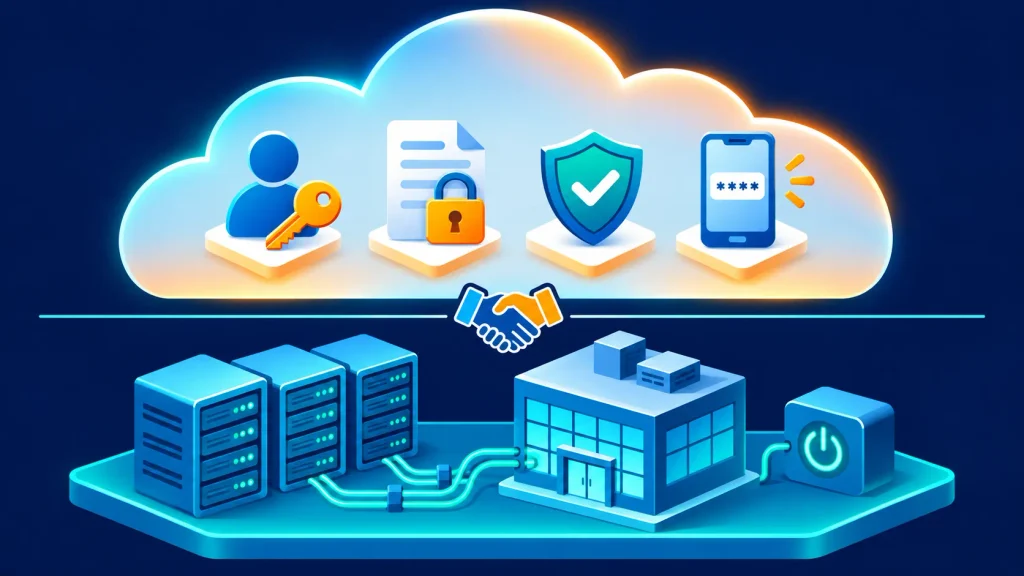
You keep business data secure in the cloud by following the shared responsibility model: the provider secures the infrastructure, and you secure your data, users and settings.
Most cloud breaches come from customer-side mistakes such as weak passwords, public storage buckets and excessive permissions. These cloud security essentials close those gaps:
- Multi-factor authentication (MFA) on every account, especially administrators.
- Least-privilege access, using role-based permissions instead of shared logins.
- Encryption for data at rest and in transit.
- Automated backups that you test regularly.
- Logging and alerts to spot unusual activity early.
- Compliance checks for the rules that apply to you, such as GDPR, HIPAA or PCI DSS.
- Staff training to recognise phishing, the most common way attackers get in.
A provider’s compliance certifications do not make your business compliant automatically; the configuration is still your job.
What Should You Consider Before Adopting Cloud Solutions?
Before adopting cloud solutions, assess your workloads, choose the right model for each one, check SLAs, plan your budget and decide how you will migrate.
- Assess your workloads. List every application and data store, how critical it is and how sensitive its data is.
- Match each workload to a model. Email and CRM usually suit SaaS, custom apps suit PaaS, and legacy software may need IaaS or a private cloud.
- Check SLAs and support. Review uptime guarantees, support response times and where your data will be stored.
- Plan your budget. Set spending alerts, tag resources by team or project, and switch off unused servers. This practice is known as FinOps.
- Choose a migration approach. Move simple systems as they are (rehost), replace some with SaaS (repurchase), and rebuild only the apps that need to scale (refactor). Start with one low-risk workload as a pilot.
What Are the Common Challenges of Cloud Computing?
The most common challenges of cloud computing are unexpected costs, security misconfigurations, vendor lock-in and skills gaps. Each one is manageable with planning.
- Unexpected costs: idle servers, oversized resources and data transfer fees add up. Organizations estimate 29% of their IaaS and PaaS spend is wasted. Fix it with budgets, alerts, resource tagging and monthly right-sizing.
- Security misconfigurations: public storage, missing MFA and broad permissions cause most breaches. Fix it with least-privilege access and your provider’s security posture tools.
- Vendor lock-in: heavy use of one provider’s proprietary services makes leaving costly. Fix it with portable data formats, containers and clear exit terms.
- Skills gaps: teams used to on-premise IT may struggle with cloud settings. Fix it with free provider training paths or an experienced cloud partner.
Turning Cloud Computing Essentials into Business Growth
Cloud computing essentials unlock benefits only when a business understands and applies them. The five NIST characteristics explain why the cloud is flexible and cost-efficient. Deployment and service models help you choose the right setup, while security and cost management protect the value you gain.
Start with one workload, such as email, file storage or backups. Move it properly, measure the result and build from there. Talk to our cloud team if you want help planning your move.
Frequently Asked Questions
What is an example of cloud computing?
Everyday examples of cloud computing include Gmail, Microsoft 365, Dropbox, Zoom and Netflix. Each runs on remote servers that you access over the internet instead of software installed only on your own computer.
Is cloud computing secure for small businesses?
Yes. Major cloud providers invest more in security than most small businesses can, but you must configure your account correctly with MFA, limited permissions, encryption and tested backups.
How much does cloud computing cost?
Cloud costs depend on usage. SaaS tools are usually priced per user per month, while IaaS and PaaS are billed by the hour, gigabyte or request. Most providers offer free tiers and pricing calculators.
Is cloud computing worth it for small businesses?
For most small businesses, yes. The cloud removes upfront hardware costs, adds off-site backups and gives a small team access to enterprise-grade tools and AI on a monthly budget.
Do I need to move everything to the cloud at once?
No. Most businesses move in stages, starting with low-risk workloads like email or file storage, then moving critical systems once the process is tested.