
A chat window might offer a simple menu, hold an AI-powered conversation, or take action. So, what is a chatbot? It is software that communicates with people through text or voice, using preset rules or artificial intelligence to respond. Depending on its design, it can answer routine questions, guide someone through a task, or connect a customer with a business.
Not all chatbots work the same way. A scripted bot handles predictable requests, while a generative AI chatbot can respond to more open-ended questions. Businesses use chatbots for customer service, sales, and marketing. People also encounter them in apps and online services, and public agencies use them to help residents find information. A chatbot can engage with customers at any time, but its usefulness depends on the information and actions it has been set up to handle.
This article explains the main chatbot types, how they work, and where they’re used. It compares rule-based, AI-powered, generative AI, hybrid, voice, and agentic chatbots, with practical examples of what sets each apart.
Key Takeaways
- Chatbots communicate through text or voice, using scripted rules, AI, or a combination of both to respond to people.
- Match the chatbot type to the task: structured menus suit predictable requests, while AI-based tools can handle more flexible conversations.
- Businesses, consumers, and public services use chatbots for tasks such as answering questions, finding information, and completing routine requests.
- Set clear limits on what a chatbot can do, protect sensitive information, and make it easy for people to reach human support when needed.
- Review chatbot interactions and customer feedback to spot gaps, improve responses, and keep the system useful over time.
Business and customer service applications
Businesses use chatbots for customer service, sales, marketing, and personal assistance. A website chatbot can answer routine questions, leaving staff more time for requests that need human judgment.
Sales and Support Benefits
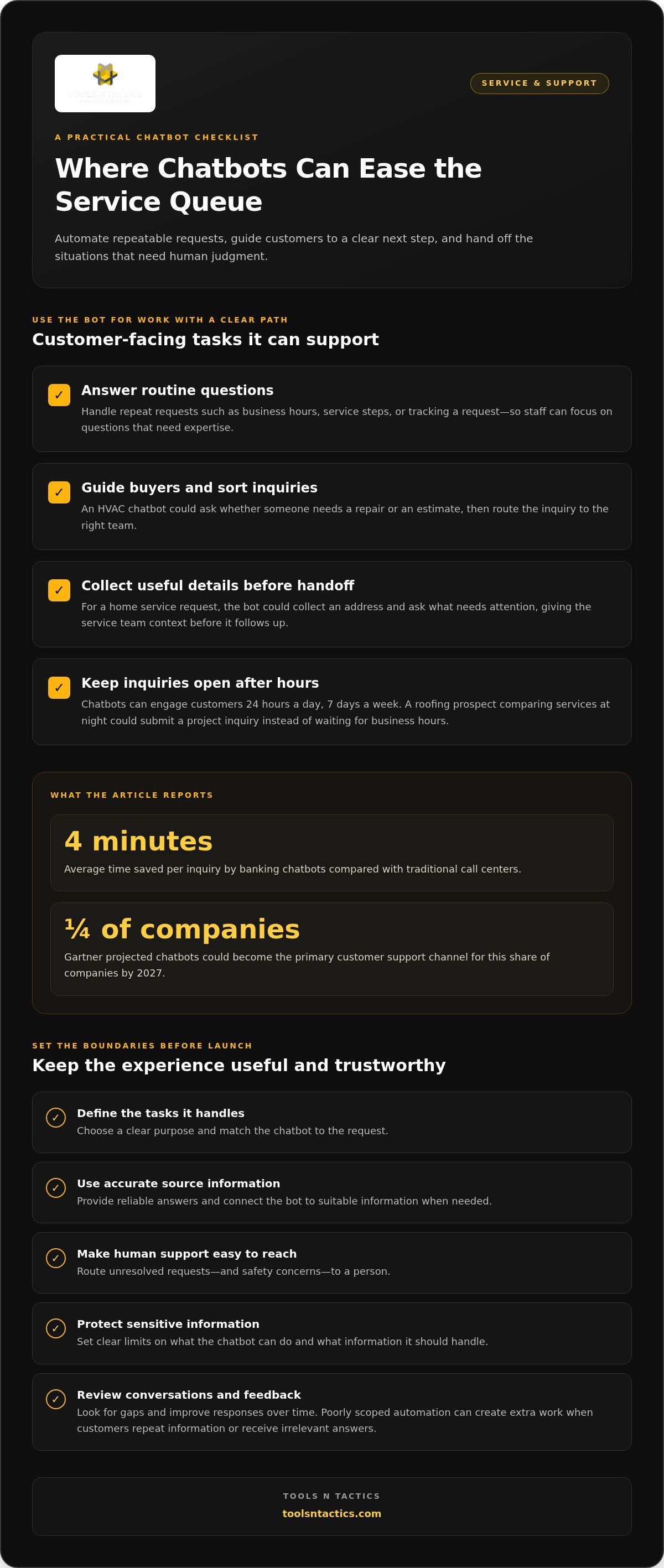
A chatbot can answer common questions, guide buyers, and collect details before a staff member steps in. For example, an HVAC company’s bot could ask whether someone needs a repair or an estimate, then route the inquiry to the right team. Customers get a clear next step, and staff spend less time sorting basic requests.
Chatbots can engage customers 24 hours a day, seven days a week, even when a sales team is offline. A prospective customer comparing roofing services at night, for example, could submit a project inquiry instead of waiting for business hours. Gartner projected that chatbots could become the primary customer support channel for a quarter of companies by 2027, reflecting their expanding role in service operations.
Customer Service Use Cases
Customer service chatbots handle repeatable tasks, such as answering questions about business hours, explaining service steps, or helping customers track a request. A consumer asking a bank about an account inquiry may get a quick answer without waiting for a call center representative. Banking chatbots save an average of four minutes per inquiry compared with traditional call centers.
For a home service business, a chatbot could collect a customer’s address, ask what needs attention, and pass those details to the service team. That handoff gives staff useful context and avoids asking the same questions again. The bot should also clearly explain how customers can reach human support.
A chatbot’s cost depends on its complexity, the applications it connects to, and its ongoing use and maintenance. A simple scripted tool has different setup and operating needs from an AI-powered chatbot connected to business systems.
Savings come from automating suitable routine interactions, not eliminating human support. When a chatbot handles basic questions, employees can focus on cases that need expertise, such as a disputed invoice or a complex repair request. Poorly scoped automation can add work if customers have to repeat information or get irrelevant answers.
Chatbots can also serve large audiences at the same time, including millions of people, according to the stated capability of chatbot systems. For a public utility, that can help answer common questions during a service disruption. For a small contractor, the same principle is useful on a smaller scale: customers can submit service details while the office is busy.
To make a chatbot useful, define the tasks it handles, provide accurate answers, and set a clear route for requests it cannot resolve. A question about a standard service area may suit an automated reply; a safety concern needs a direct path to a person. Clear boundaries help protect trust while automation supports a smoother service experience.
Chatbot definition and capabilities
A chatbot is software that communicates with people through text or voice, then delivers responses using programmed rules or artificial intelligence. Its cost depends on its complexity, the channels it uses, its integrations, and ongoing maintenance.
Definitions and Examples
A chatbot is software that receives a person’s message and provides a relevant response. A website chatbot might use buttons to help someone find business hours, while a travel chatbot could help arrange a flight. In both cases, a clear purpose makes the chatbot’s responses more useful and predictable.
Chatbots appear on websites and in applications, where people can communicate by typing or speaking. A button-based interface might ask a visitor to choose “Book a service” or “Ask a question.” A natural-language interface lets them describe a request in their own words. The right design depends on how people need to complete the task.
Some systems recognize words or phrases and match them with prepared responses. Others use natural language processing to interpret what someone means, even when the request is phrased differently. For example, a flight-booking chatbot could identify a destination and travel date from a message. It can then respond to those details instead of relying only on menu choices.
Chatbots and AI Assistants
A chatbot responds within a conversation, while an AI assistant may handle a broader range of tasks. A service company’s website chatbot, for example, might answer questions about appointment requests. A personal assistant such as Siri can respond to spoken prompts across different tasks. Understanding the distinction helps businesses choose a tool suited to the work.
Some chatbots use artificial intelligence to interpret questions and form responses, but that doesn’t automatically make them full-featured assistants. Their capabilities depend on their instructions, available information, and connected systems. A chatbot connected to a knowledge base can use that material to answer relevant questions. Without suitable information, its responses may not be useful.
More advanced systems can retrieve relevant information from an external data source for a language model to use. This approach, called retrieval-augmented generation, can ground responses in selected material. For example, a business could connect a chatbot to service descriptions and common customer questions. Clear source material gives the bot a stronger foundation than broad, unstructured prompts.
Before choosing a system, define the task, the information it needs, and what should happen when it can’t answer. Businesses mapping those requirements can discuss a chatbot use case as part of their customer communication planning.
Chatbot history and evolution
Chatbots have evolved from experiments in conversational computing into tools used across websites and applications. Their history reflects a shift from fixed scripts toward systems that can interpret intent and context.
Early Chatbot Examples
Early chatbots tested whether a machine could imitate parts of human conversation. In 1950, Alan Turing proposed the test now known as the Turing Test, which considered whether a machine could exhibit human-like intelligence. ELIZA, created in 1966, used scripted responses to simulate a conversation. These early examples matter because they reveal a core design question: how should software respond when people communicate naturally?
ELIZA followed prepared patterns rather than understanding a person’s situation as a human would. Kenneth Colby’s PARRY, developed in 1972, offered another early conversational program. Racter’s interactive version appeared in 1984. Each example used the computing methods available at the time, showing how a chatbot’s responses depend on its design and underlying technology.
These programs also shaped expectations. A convincing-sounding conversation can still lack genuine understanding or reliable knowledge. ELIZA, for example, responded to conversational cues without understanding the real-world context behind a statement. The distinction still matters: consider what information a chatbot can use, not just how fluent its replies sound.
Chatbot Evolution
Chatbot development has moved from narrow scripted exchanges toward systems that can process varied input and support more tasks. The technology behind a conversation affects what users can reasonably expect. A button-led bot and a language-based assistant may both chat, but they handle requests differently.
Siri launched in 2011, bringing voice interaction to a widely used assistant. In 2015, Gavagai created a Twitter-based bot, showing another way conversational software could operate through social platforms. These examples expanded the channels where people could interact with automated systems. They also made voice and text-based conversations familiar parts of everyday digital services.
Platforms then made chatbot deployment more visible. Facebook Messenger had reached 100,000 bots by April 18, 2017. DBpedia created a chatbot during the 2017 Google Summer of Code. These examples show how chatbots spread across messaging platforms and knowledge-focused projects, rather than remaining only laboratory experiments or standalone programs.
OpenAI made ChatGPT publicly available in 2022, bringing generative conversational systems to a broad audience. Unlike a fixed script, a generative system can produce responses to open-ended prompts. Its output still depends on the information and instructions available to it. The historical lesson is practical: assess a chatbot by its capabilities, limits, and access to relevant context, not by conversational style alone.
Common business, consumer, and public-sector uses
Chatbots support tasks across businesses, consumer services, and public agencies. Their value depends on whether the conversation helps someone complete a clear task.
Uses Across Sectors
Across sectors, chatbots handle routine interactions that help people find information or complete basic requests. A traveler might use a chatbot to check a booking, while a resident might ask a local agency’s virtual assistant about office hours. Public-sector bots can also direct people to relevant service information, making it easier to find the right department.
For businesses, a chatbot can answer product questions or collect a service inquiry. In healthcare administration, it might help a patient locate appointment information, while a transit agency could use one to share schedule details. Chatbots can automate common IT service tasks and make them available 24 hours a day, 7 days a week.
Reasons Businesses Use Chatbots
Businesses use chatbots to make routine interactions easier to manage and help customers find useful information. A company website’s virtual assistant can answer basic questions while staff work on a detailed request. This can cut down on repeated manual steps and give employees more time for decisions that need personal attention.
Chatbots can support sales by collecting useful details before an inquiry reaches an employee. A landscaping company’s bot, for example, could ask about the property, requested service, and preferred scheduling window. With those details, a salesperson can prepare a relevant response instead of starting with basic questions.
Business Chatbot Examples
A retailer could use a chatbot to help shoppers find product details or check an order’s status. A dental office might use one to share appointment instructions and route scheduling requests. The task should shape the chatbot: a narrow, well-defined job is easier to support than a promise to answer anything.
A professional service firm’s chatbot could ask visitors to select a service category, describe their needs, and provide contact details. A public library’s virtual assistant could guide residents to information about borrowing, programs, or access. In either case, the interaction should make the next step clear.
Start planning with one specific task. Choose a frequent request, write clear answers in plain language, and decide where unresolved conversations should go. Identify the information the chatbot needs, such as service descriptions or scheduling options, then test it with real customer questions. These steps help keep the bot focused and its replies useful.
Rule-based, AI-powered, generative AI, hybrid, voice, and agentic chatbots
Chatbot types differ in how they interpret requests, create responses, and take action. To choose one, start with the task, the available information, and the level of control required.
Rule-Based and AI-Powered Chatbots
Rule-based chatbots follow preset instructions, while AI-powered bots use artificial intelligence to interpret less predictable messages. A menu bot might ask a visitor to choose “Billing” or “Appointments” before providing a scripted response. It suits clear, repeatable steps but can struggle with requests outside its programmed paths.
AI-powered chatbots use natural language processing and machine learning to interpret input and respond to a wider range of questions. For example, a customer could describe a furnace problem without selecting a category, and the bot might identify the likely request type. This flexibility supports more natural conversations, but businesses still need to define the bot’s information and limits.
Generative AI and Hybrid Chatbots
Generative AI chatbots create responses from a prompt instead of choosing only from a fixed list. A customer asking how to prepare for a roofing estimate, for example, could receive a conversational answer. Because the system generates language, businesses should define what material it can use and test its replies for accuracy.
Hybrid chatbots combine scripted paths with AI responses, using each where it fits. A booking flow might use fixed prompts to collect contact details, then AI to answer a related question. This gives businesses structure for key actions while allowing more natural exchanges around them.
Voice chatbots let people communicate by speaking rather than typing. A caller might ask a virtual assistant about service options and respond to spoken prompts to describe a request. Voice can be useful when hands-free access matters, but clear prompts and a practical route to human help remain important.
Agentic chatbots go beyond responding and carry out steps toward a defined task. For example, an agent could gather a customer’s preferences, check appointment options through connected systems, and prepare a booking. The key difference is action: a conversational bot provides information, while an agentic system may use tools to move work forward. Limit its permissions to the tasks it needs.
Choose by matching the chatbot to the job: menus for predictable choices, generative AI for open questions, and agentic functions for controlled actions. A service company may use a hybrid model to collect lead details and answer common questions, with staff handling unusual requests. Discuss chatbot options for your business when you’re ready to map the right approach.
Tools N Tactics | Local SEO & Digital Marketing Solutions: Growth Partner Program
Tools N Tactics | Local SEO & Digital Marketing Solutions helps service businesses connect customer conversations with a broader growth system through its Growth Partner Program. Consider the program when chatbot interactions need to do more than answer questions, such as helping visitors find relevant services and take a clear next step.
The Visibility Engine supports customer discovery, while the Conversion Engine focuses on turning interest into action. The Authority Engine builds trust through useful content and reputation management. Together, these components align visibility, website experience, and credibility rather than treating each as a separate task.
If you’re considering how chatbots fit into your customer journey, contact Tools N Tactics | Local SEO & Digital Marketing Solutions to discuss your business goals.
Turn chatbot interest into a practical next step
Understanding what a chatbot is gives you a starting point. Next, decide where it fits in your customer journey and how its conversations support your business operations. Treat it as part of a connected system, not a standalone feature. A useful interaction helps customers move from discovering your business to taking a clear next step.
Tools N Tactics | Local SEO & Digital Marketing Solutions helps service businesses connect the customer journey through its Growth Partner Program. The Visibility Engine supports discovery, while the Conversion Engine focuses on turning interest into action. This alignment keeps chatbot conversations connected to the pages and business processes customers encounter next.
Start by identifying a customer interaction that creates friction, then consider how a chatbot could support it within your wider growth plan. Contact Tools N Tactics | Local SEO & Digital Marketing Solutions to discuss your business goals and explore a practical path forward. A clear plan can help you put automation to work with purpose.
Tools N Tactics | Local SEO & Digital Marketing Solutions helps businesses put chatbots to work
Tools N Tactics | Local SEO & Digital Marketing Solutions offers AI chatbots, AI automations, and AI consulting. A chatbot can support a broader approach to answering customer questions and guiding inquiries toward the next step.
Turn to Tools N Tactics when you’re ready to explore chatbot options or connect them with your website, CRM, lead routing, or SMS and email follow-up. Services also include web development, conversion optimization, and analytics and tracking setup.
Frequently Asked Questions
What is a chatbot?
A chatbot is software that manages an automated conversation through text or voice. To assess one for your business, look beyond the chat window: identify the customer task it supports, the information it relies on, and where the conversation leads. For example, a chatbot might collect a service request while your team handles the estimate. That distinction helps explain what a chatbot does in a business context.
What are common challenges?
Common challenges include unclear ownership, poor handoffs, and limited access to information needed for accurate answers. If a bot collects a customer’s details but no team member receives the request, for example, the interaction stalls. Assign someone to review chatbot performance and set a clear destination for each inquiry type. This makes the automated conversation a usable part of the service process.
How do chatbots work?
A chatbot takes a message, processes it using its programmed rules or available information, then returns a response or next step. In an order-support setting, it might ask for an order reference and provide an update from a connected system. If that system can’t return the information, the bot should explain the limitation and direct the customer to an appropriate support path.
What are the main types of chatbots?
Main types include rule-based, keyword-based, AI-powered, generative AI, hybrid, voice, and agentic chatbots. These labels can overlap because they describe different design features. A voice chatbot can also use AI, for example, while a hybrid bot combines scripted steps with more flexible replies. Consider the task, interface, and permitted actions together when choosing a type for a particular process.
What are common uses of chatbots?
Chatbots can help people complete focused tasks, such as changing a delivery preference, checking membership details, or finding document-submission instructions. A property management company, for instance, might use one to direct residents to the right maintenance form. These applications work best when the action and required information are clear, so users don’t have to guess what to type.
What are examples of popular chatbots?
Common examples include generative AI chat tools, smartphone voice assistants, and support bots in retail or financial apps. They’re easy to access through familiar services, but they don’t all serve the same purpose. A consumer tool may help draft a message, while an app-based support bot may answer account questions. Compare examples by the task they perform and the systems they connect to.
How do you create a chatbot?
After defining the chatbot’s purpose, map the business systems it can access and the actions it can perform. Limit its permissions to what it needs, such as looking up an appointment rather than changing customer records. Decide who reviews its content and who receives escalated conversations. A written ownership plan helps ensure chatbot maintenance keeps pace with changing business processes.
What are the benefits and limitations of chatbots?
A chatbot’s benefits and limitations become clearer when measured against its intended task. Track whether customers complete the conversation, where they leave, and how often staff need to take over. For a booking assistant, completed appointment requests are more useful to measure than chat volume alone. Reviewing these measures shows whether the tool reduces friction or adds another step for customers.